


Trusted by 10K+ Active Users
The WordPress Best Minimalist
Post Slider and Carousel Plugin
Join 10,000+ Websites who are using Post Slider and Carousel to change face of
static websites into new and improved online news sites, magazine hubs, online blogs, portals, and more!
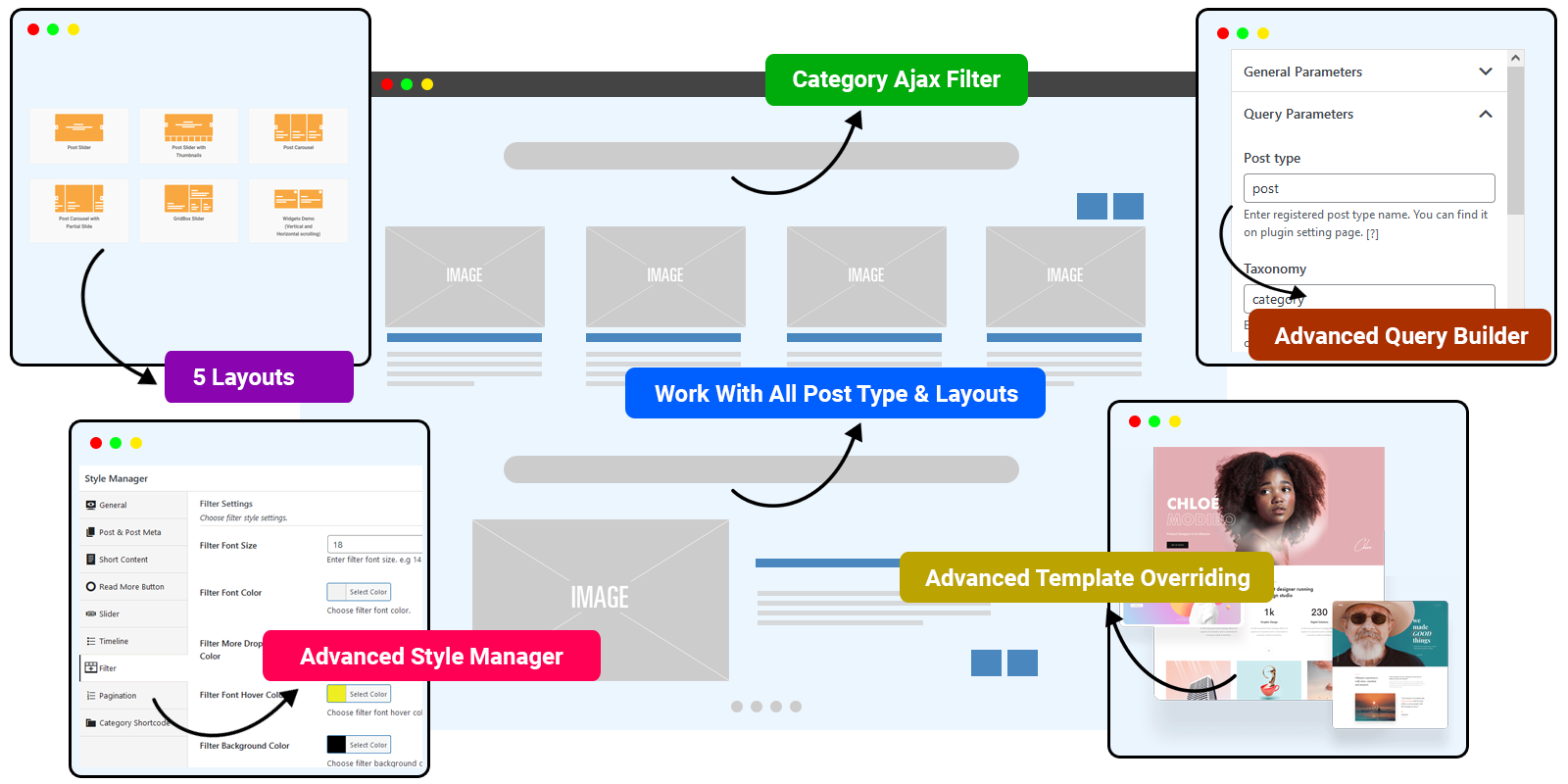
And Much More Advanced Options…

30+ Ready to Use Designs

Category Ajax Filter

Social
Media Sharing

Page
Builder Supports

Support
Custom Post Type
And Taxonomy

Minimal
Layout Designs

Five Stars Rating

Total Downloads
100,000+
Active installations
10,000+

99% Customer
Satisfaction
5 Layouts, 2 Widgets and 30+ Designs
Create unlimited layouts with more than 30+ predefined designs includes Post Sliders, Post Carousel, GridBox Slider, Partially Sliders and many more…







Compatibility
Post Slider and Carousel Pro plugin work with latest version of WordPress and as well as all major browsers
Current Version
Current Version is : 2.2.4
We are taking care of everything and update the plugin with latest features as well as with latest technology. Check changelog.
Compatible Page Builders
Elementor, Gutenberg, WPBakery, Beaver Builder, Visual Composer, SiteOrigin, Bricks, Oxygen, WPML and etc.
Compatible Browsers
Plugin work with all latest browsers like : IE9, IE10, IE11, Firefox, Safari, Opera, Chrome, Edge
Compatible WordPress
WordPress 7.0.x, WordPress 6.9.x, WordPress 6.8.x, WordPress 6.7.x, WordPress 6.6.x, WordPress 6.5.x, WordPress 6.4.x, WordPress 5.9.x, WordPress 5.8.x, WordPress 5.7.x, WordPress 5.6.x, WordPress 5.5.x, WordPress 5.4.x, WordPress 5.3.x, WordPress 5.2.x, WordPress 5.1.x and WordPress 5.0.x to WordPress 4.0.x
Works with your favorite page builders Elementor, WPBakery, Visual Composer, Gutenberg and etc.

Works with any WordPress Theme
Including Popular Ones
Ready for Shortcode and Widget
Post Slider and Carousel Pro code base is very versatile. Its not only can be used by Elementor, WPBakery page builder, we also make it to work with Shortcode and Widget. So you can place it on your footer, sidebar, post content or any location that you need.
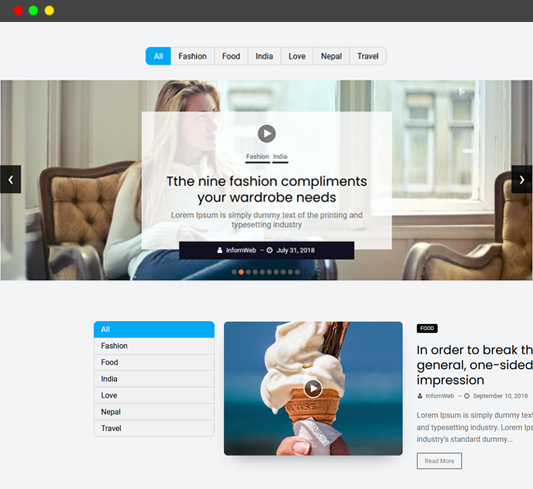
Category Ajax Filter
- Allows you to add a category filter to any layout
- Filter content category-wise using Ajax without page reload
- Supports 3 filter positions: Top, Left, and Right.
- When the filter position is Top, you can align it Left, Center, or Right for better layout control.
- Comes with 6 different pagination types to load more content easily.
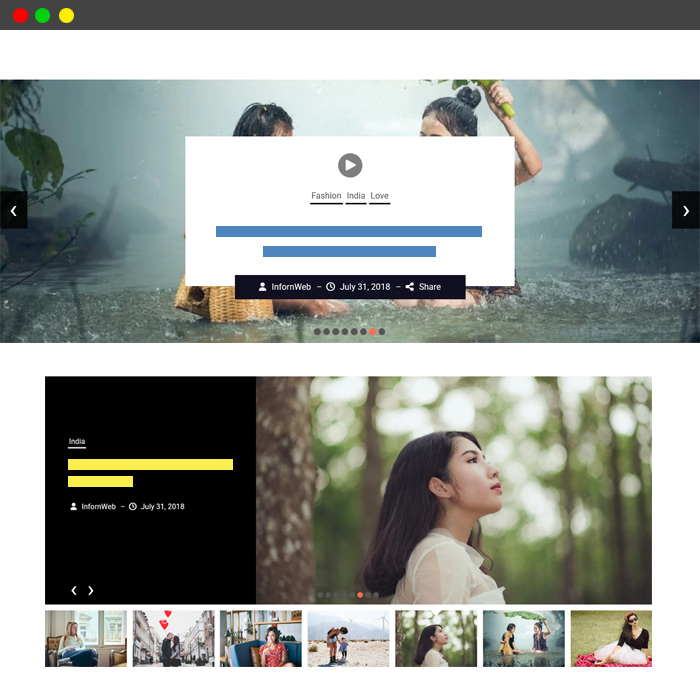
Post Slider Layout & Thumbnails
- 8+ attractive designs to showcase your posts
- Perfect for displaying posts on the front page or creating a post slider for blog/news pages
- 15+ customization parameters for slider control
- Category Ajax Filter
- Slider with Thumbnails option added to show preview images for easier navigation
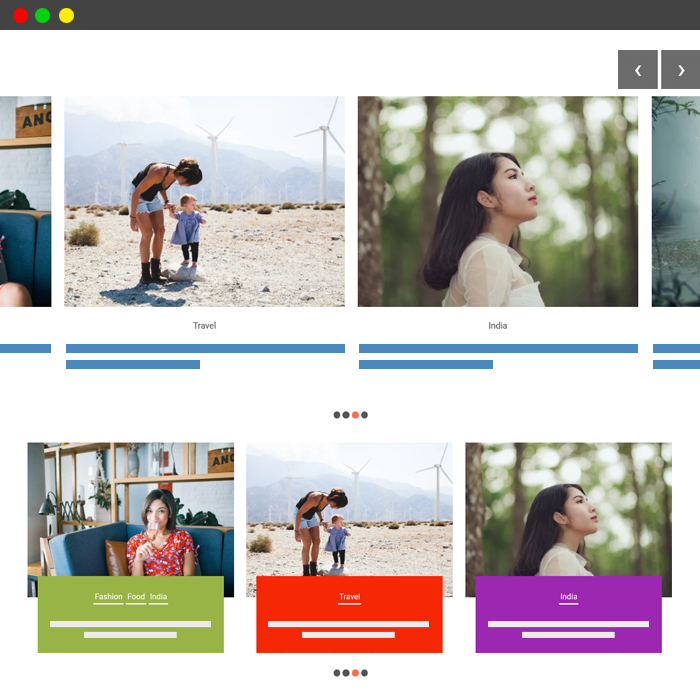
Post Carousel Layout & Partial Slide
- 10+ attractive designs to showcase your posts
- Perfect for displaying posts on the front page or creating a post carousel for blog/news pages
- 15+ customization parameters for carousel control
- Category Ajax Filter
- Carousel with Partial Slide option added to partially show the next slide, encouraging users to scroll through more content.
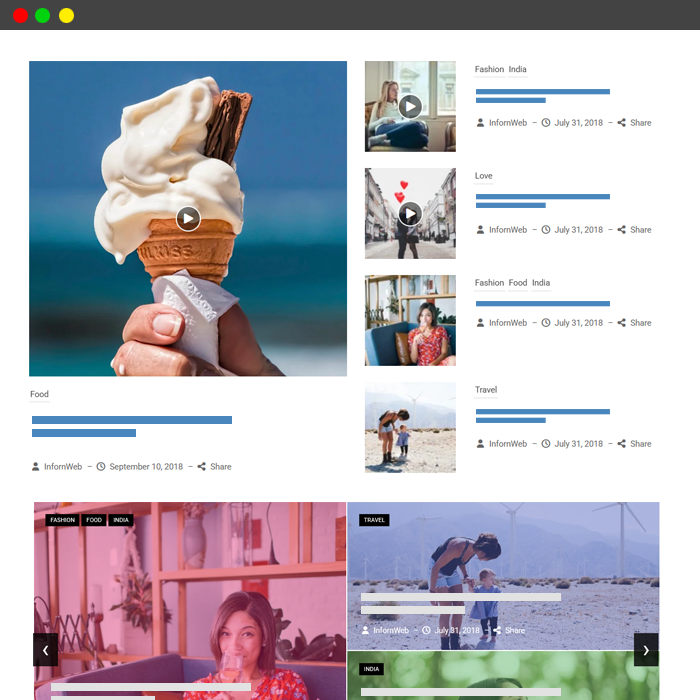
Post GridBox Slider Layout
- GridBox and GridBox Slider Layout come with 10+ modern designs to display your posts in a stylish boxed grid format
- Showcasing posts on the front page or adding a GridBox layout to blog/news pages
- Category Ajax Filter
- 15+ customization parameters for layout control
- Colorful layouts option
Better Features – Better Experiences
Powerful features and flexible customization options designed to create a smoother, faster, and more engaging website experience.
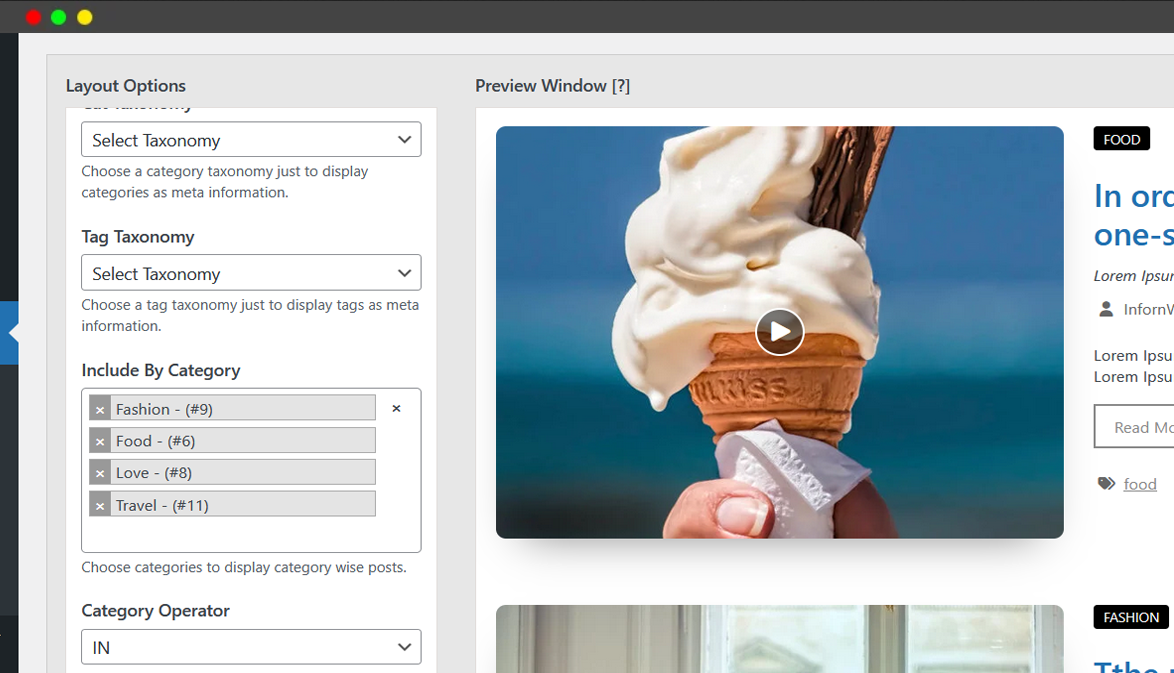
Advanced Query Builder
Choose the post type, apply filters to include or exclude categories, tags, relationships, and sorting options.
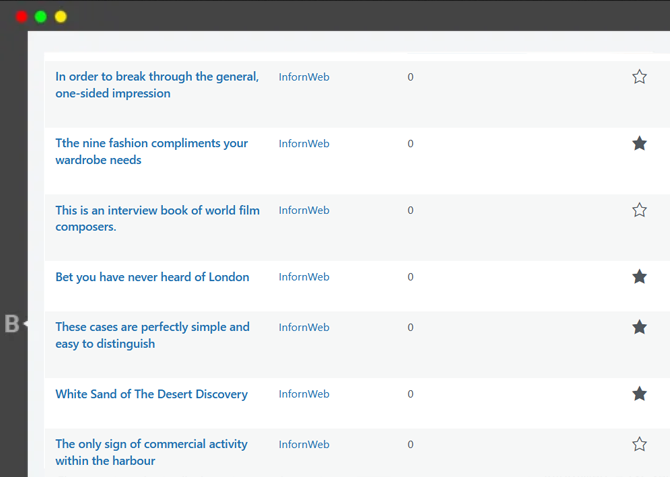
Featured & Trending Posts
Built-in Featured and Trending Post support is fully compatible with every layout and widget designs.
Custom Post Type & Custom Taxonomy Support
Plugin support WordPress Post type as well custom post type, custom taxonomy created by you or with any plugin. Also enable option to upload the image for category.
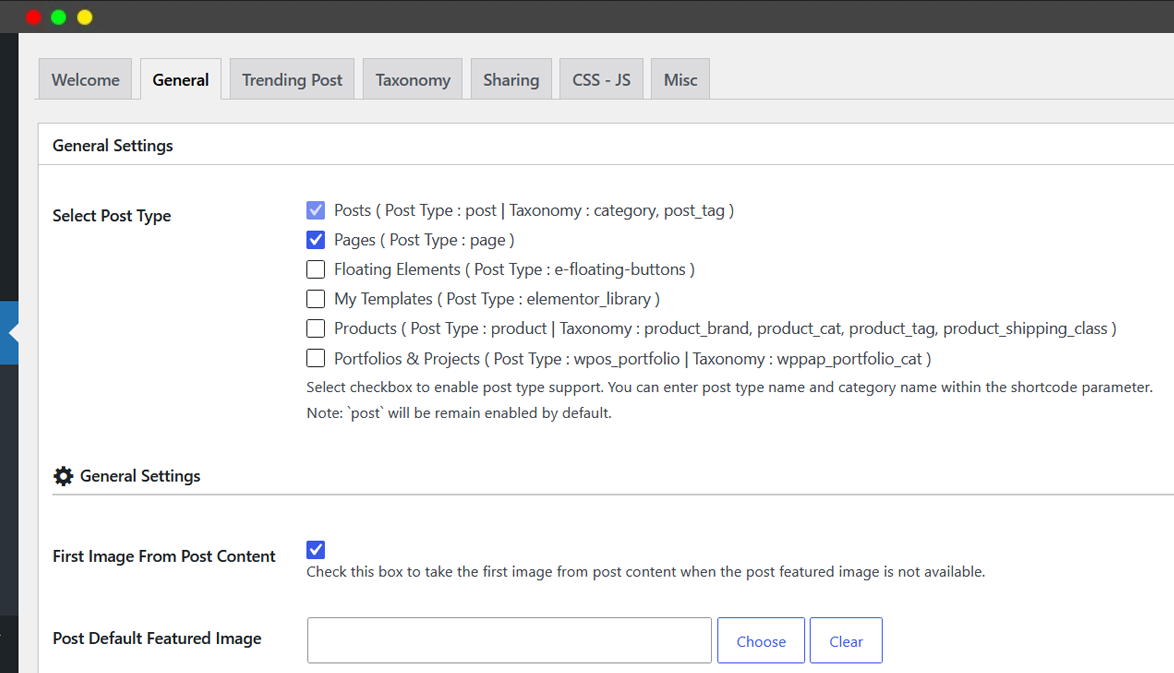
Template Overriding
Allowing you to easily customize and override plugin layouts directly from your theme or child theme without modifying core plugin files. This developer-friendly approach makes design customization safer, faster, and easier to maintain during plugin updates.
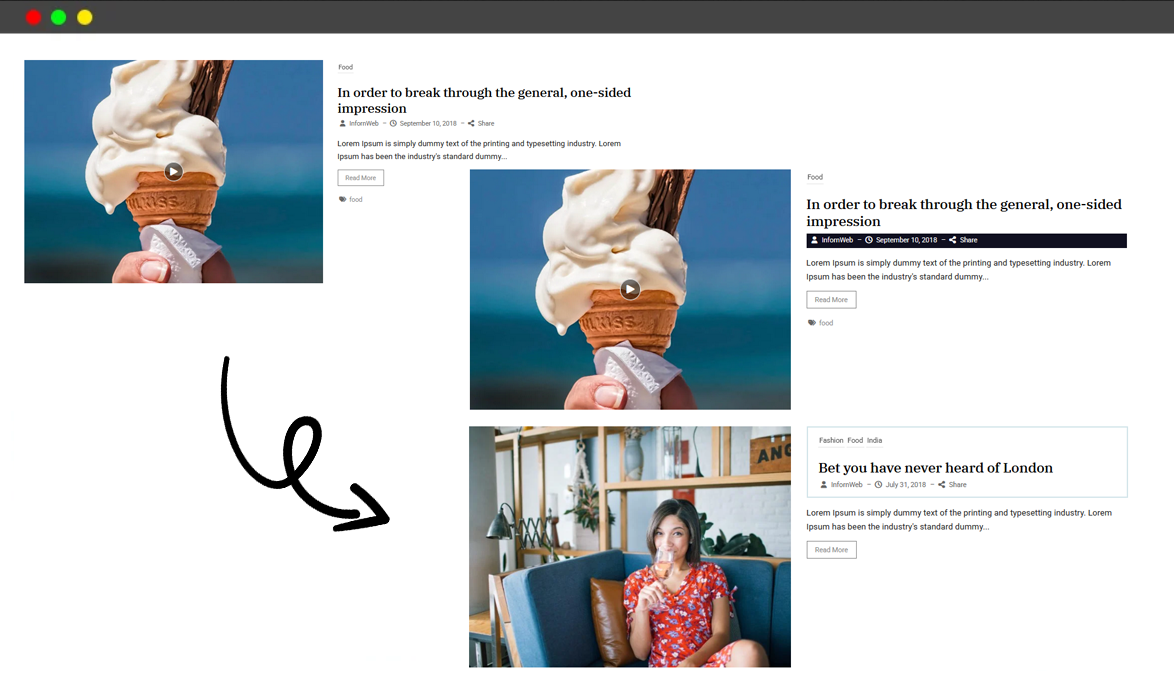
Equal Height Option
Create clean and balanced layouts with the Equal Height option, keeping all columns and content boxes perfectly aligned across all screen sizes.
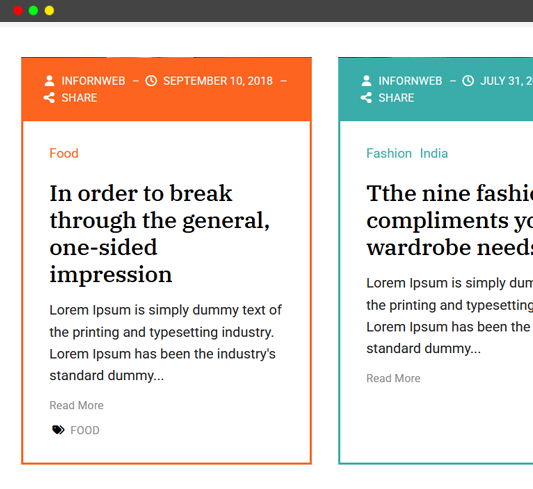
Widget Layouts & Designs
Choose from multiple professionally designed widget layouts to create a stylish and engaging website experience.
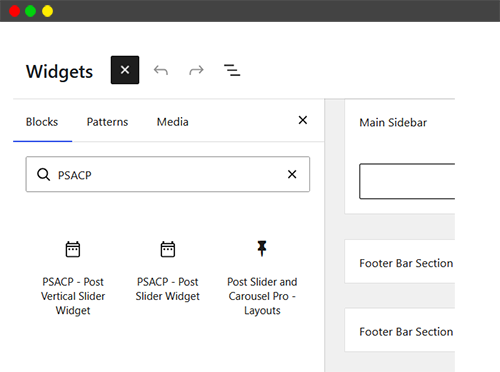
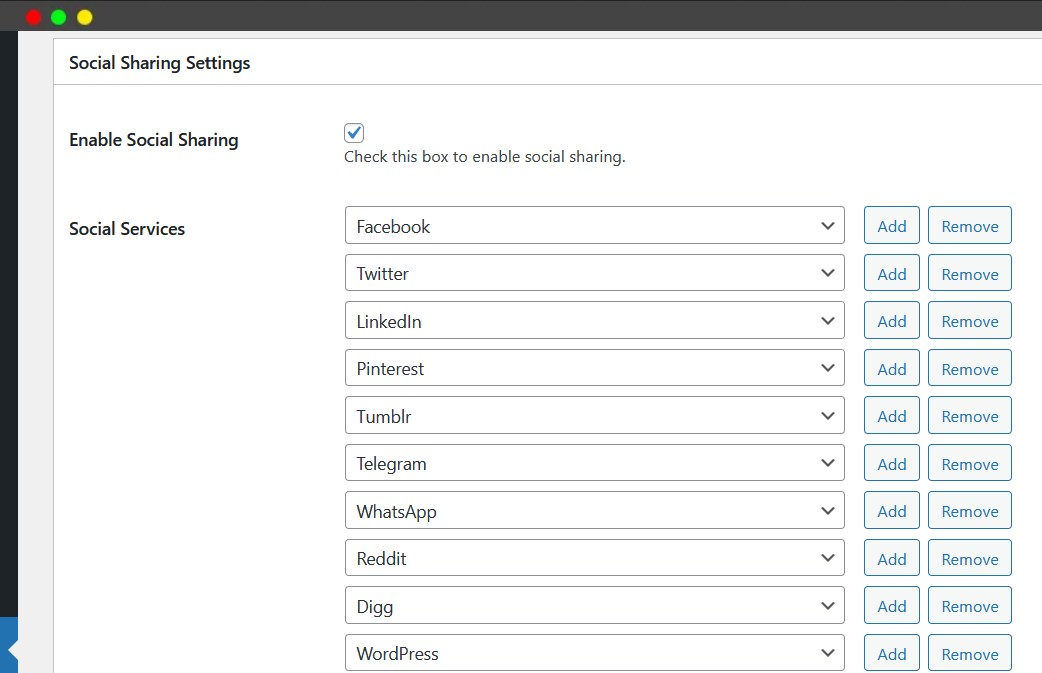
Social sharing functionality
Added built-in social sharing functionality for all layouts and seamless integration on single post pages, making it easy to share your content across popular social media platforms.
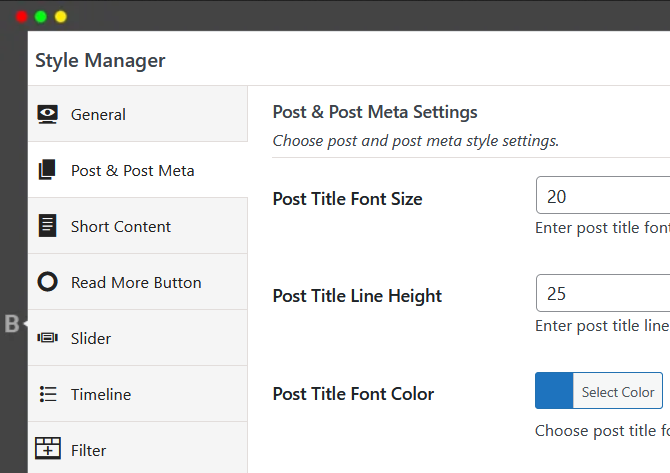
Style Manager
Easily customize post title, content, meta, and read more button styles with full control over font sizes and colors. You can also manage slider navigation colors to perfectly match your website design.
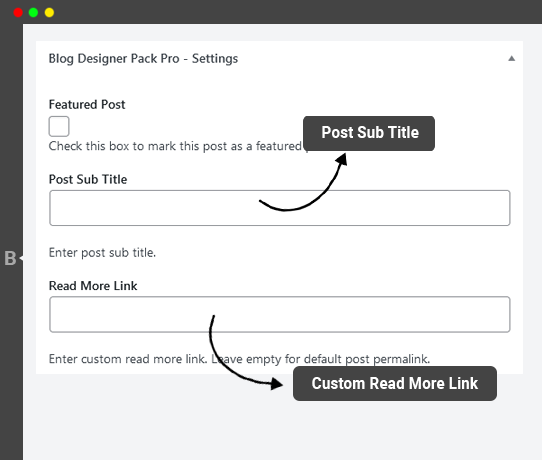
Post Sub Title and Custom Read More Link
Option to add sub title and custom post link for a post. This option work with all layouts and designs.
Fast, Lightweight & Fully Responsive with Premium Support
Fully responsive designs backed by reliable premium support and detailed documentation.

Translation Ready
This plugin is translation ready. We provided translation files: .po and .mo so you can easily translate it with your favorite translation tools.

Responsive & Light weight
All designs are Responsive. Light weight and Fast – Created with ground level with WordPress Coding Standard.

Support & Documentation
We provide online & offline detailed documentation and also dedicated support to help you with whatever issue or questions you might have.
Frequently Asked Questions (FAQs)
Popular questions for this item
Is this one time payment?
Yes, It is one time payment and lifetime update.
Is this a subscription service?
Yes, Post Slider and Carousel Pro is also a subscription service. You need to renew your license key every year to get update and support.
Does Post Slider and Carousel Pro work with any WordPress themes?
Yes, Post Slider and Carousel Pro is made to work with all WordPress themes created with WordPress coding standard.
It also works with Elementor, WPBakery, Gutenberg and other page builders.
My theme came with WPBakery Page Builder built in OR i am using WPBakery Page Builder. Will your plugin work?
Yes
My theme came with Elementor built in OR i am using Elementor page builder. Will your plugin work?
Yes
Does my development environment count as a license activation?
Nope, development environments like localhost or .dev domains do not count as site activation. If you’re a developer, feel free to use your license key during development. Also license key is only needed to get automatic plugin update and support from our site. Plugin can work with full functionally without activating the license key.
Do you offer refunds?
Yes, we have a 14-day satisfaction guarantee. If within 14 days of purchase, you are unhappy with Post Slider and Carousel Pro and have an issue that we are unable to resolve, we’ll happily consider offering a 100% refund of your money.
What modes of payment do you accept?
We accept all major credit cards including Visa, Mastercard, American Express, as well as PayPal payments.
What does “Lifetime Use” mean?
Lifetime use means that you need to make one time payment and get the lifetime update.
Can I upgrade my Premium plan?
Yes, you may upgrade your plan any time with a prorated price.
How often do you release updates?
Ideally – an update is released once or twice every month with new features, fixes and improvements. You can find changelog here.
How do I get updates?
You’ll get update notifications in the WP dashboard just like you normally receive for other plugins.
Does this work with custom post type?
Yes, Plugin works with the custom post types. In fact you can pass multiple post types at a same time.
Do I need to purchase Post Slider and Carousel Pro to request support and What kind of support do you offer?
Yes, you must purchase Post Slider and Carousel Pro to request support from your account .
All our support is done via one-on-one emails. We will gladly help you with troubleshooting plugin bugs, conflicts and help you out in using Blog Designer Pack Pro.
Are you looking for specific question? Does not find your question yet?
No Worry, Please mail us on support@infornweb.com. We are here to help you.
Have any other Pre-Purchase questions? Contact Us